tl;dr
Manually built metrics in Nova don’t support the time-range dropdown that the Nova helper functions support, and the Nova helper functions don’t handle many<->many relationships well (at least not the way I needed).
To get around this, you can use two protected functions from the parent Value class: currentRange() and previousRange(). Just don’t forget to pass in the current admin’s timezone!
Just looking for a code snippet? Jump to the end.
Quick Links
- Background (What does the metric class look like?)
- Problem (Where I got stuck)
- How I Solved: Looking Under the Hood (How I got unstuck)
- My Workaround (my code)
Background
Metric cards in Nova can be produced rapidly, are straightforward to plan and explain, and provide high-impact ‘quick wins’ when using Nova to build out a dashboard for a Laravel application.
Class Structure
Value metrics generally consist of four methods: calculate(), ranges(), cacheFor(), and uriKey(). We’re only concerned with the first two.
The ranges method ultimately populates the dropdown on the frontend. It returns an array of time ranges your metric will support, and is pre-populated by Artisan. If you don’t want to support ranges, you can remove this method; it’s actually optional, and you can add/remove ranges from the returned array as you see fit.
The Calculate Method
Metrics are centered around that calculate method, which can frequently be a one-liner. The parent class for ranged metrics includes methods for the most frequent queries you’d want to make (count, sum, max, min, and average), so as long as you’re creating a metric for an eloquent model — say, users — Nova (and Artisan) will do most of the work for you. The calculate method for metric measuring how your app is growing might look like this:
use App\User;
public function calculate(NovaRequest $request) {
return $this->count( $request, User::class );
}Code language: PHP (php)and would return the number of users your app has acquired (over a given range), along with a percent increase or decrease compared to the the previous period. You can also further specify your query for users matching a particular set of rules (for example, if your users had an account_status, you could alter the return statement like so:
public function calculate(NovaRequest $request) {
    $this->count( $request, User::where('account_status', 'active'))
}Code language: PHP (php)
The metric looks pretty good on the frontend out of the box, too:
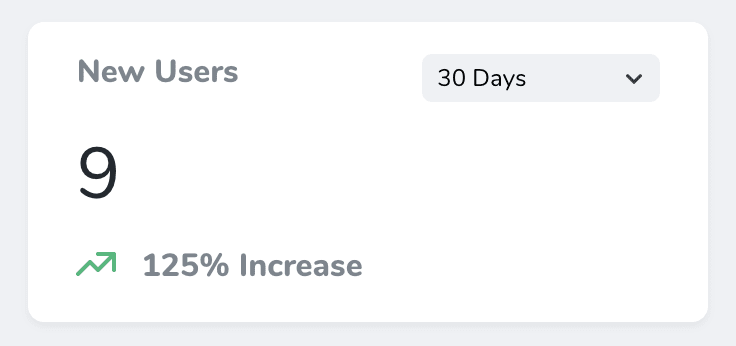
Note the range dropdown in the upper right; this is where the ranges() method comes in — you can choose what options appear in that dropdown by setting them in that method (or, if you’re happy with the default options that are pre-populated, don’t worry about it!). The actual implementation of this feature seems to be Nova magic.
This is great for simple metrics like counting how many active users there are in your application, or counting the number of posts that were published, but what if you want to report on a metric that isn’t covered by Nova helper functions?
Manually Building Results Values
Manually building results is equally straightforward at first glance. Nova metrics support manually building result values. It even supports including reporting previous result values, so long as you calculate them yourself:
public function calculate(NovaRequest $request) {
    $result = //some query
    $previous = //another query (optional)

    return $this->result($result)->previous($previous);
}Code language: PHP (php)
This works well for reporting a value in one time range, but when you build your results manually, you lose the ability to dynamically compare the metric across different time ranges (see the dropdown in the upper right of the screenshot above). What if you need that dropdown?
Problem
We needed to return a count of the records in the pivot table (in this case, we have a badges table and users , and need to report the total number of badges earned (by all users, over a time range).
Building that result manually is easy enough: We can use Laravel’s database facade to count the records in the user_badges pivot table:
$result = DB::table('user_badges') ->count();Code language: PHP (php)We can even compare to a previous value if we calculate it ourselves, but it won’t connect to the ranges() method, so this only works if we hardcode a fixed time range. What about that dropdown?

I was unable to find anything in the documentation on how to handle ranges if building the result values manually, especially to support the dropdown that seems to be Nova magic for straightforward metrics. Fortunately, we can look at how Nova’s metric helper functions are written for ideas. There is an answer in the source code!
Looking Under the Hood: How Nova implements Metrics classes
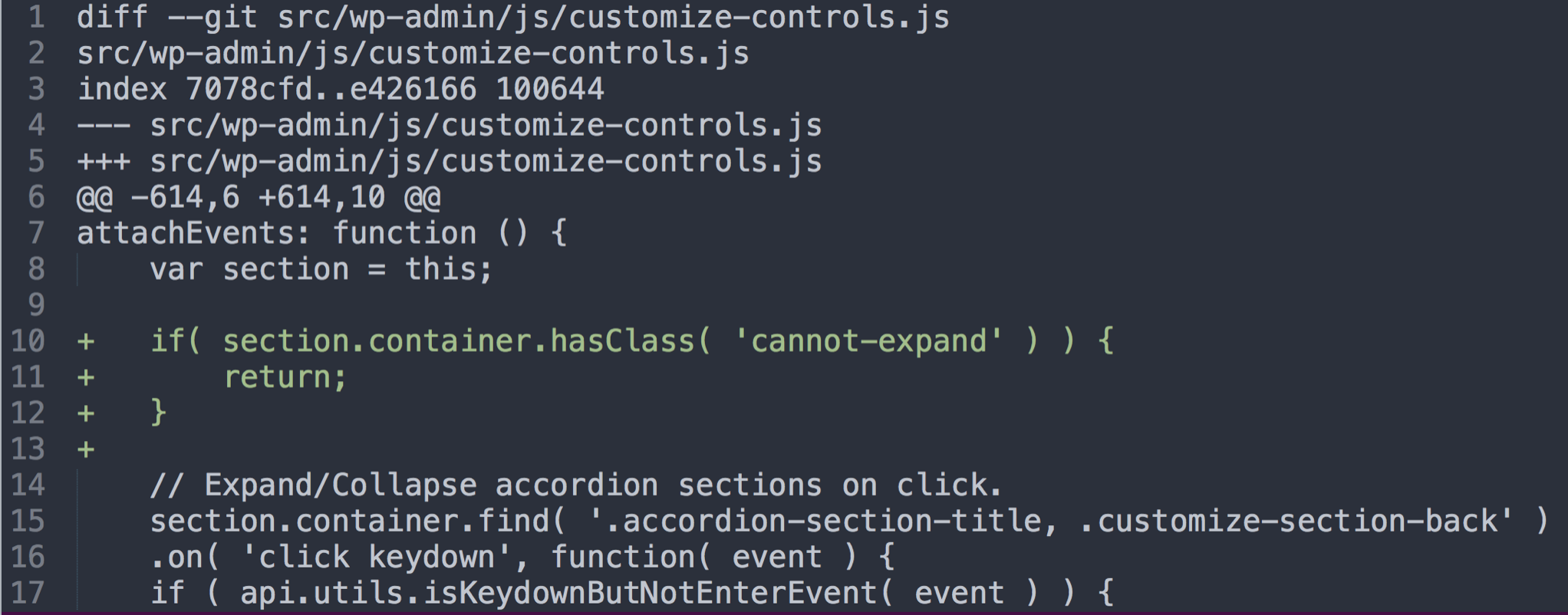
The metrics classes we generate with Artisan extend the abstract class Value. This class contains the helper methods you use for simple metrics. There isn’t a whole lot happening in these helpers, however. They’re all one-liners that call a protected method. It’s that protected method, aggregate(), that’s of interest to us:
protected function aggregate($request, $model, $function, $column = null, $dateColumn = null)
    {
        $query = $model instanceof Builder ? $model : (new $model)->newQuery();

        $column = $column ?? $query->getModel()->getQualifiedKeyName();

        $timezone = Nova::resolveUserTimezone($request) ?? $request->timezone;

        $previousValue = round(with(clone $query)->whereBetween(
            $dateColumn ?? $query->getModel()->getCreatedAtColumn(),
            $this->previousRange($request->range, $timezone)
        )->{$function}($column), $this->precision);

        return $this->result(
            round(with(clone $query)->whereBetween(
                $dateColumn ?? $query->getModel()->getCreatedAtColumn(),
                $this->currentRange($request->range, $timezone)
            )->{$function}($column), $this->precision)
        )->previous($previousValue);
    }
Code language: PHP (php)
This method may look like a lot, but at a bird’s eye view, it’s doing something that’s already documented, both in this post and in Nova’s official docs – it’s manually building a result and a previous value, and returning them! To do this, it’s using two more protected helper methods: currentRange() and previousRange(). So when we manually build results in our metrics class, we’re overriding these!
It follows that we can do the same in our class to support time ranges. However, that method takes two inputs, which we must remember to pass in ourselves: the timezone of the current user (conveniently calculated in the third line of the aggregate method above) and the time range (which even more conveniently is passed in as part of the request).
So, the strategy is to use these two helper functions to help manually build our result.
My Final Calculate Function
public function calculate(NovaRequest $request) {
  $timezone = Nova::resolveUserTimezone($request) ?? $request->timezone;

  $result = DB::table('user_badges')
      ->whereBetween( 'created_at', $this->currentRange($request->range, $timezone) )
      ->count();
  $previous = DB::table('user_badges')
      ->whereBetween( 'created_at', $this->previousRange($request->range, $timezone) )
      ->count();

  return $this->result($result)->previous($previous);
}
Code language: PHP (php)
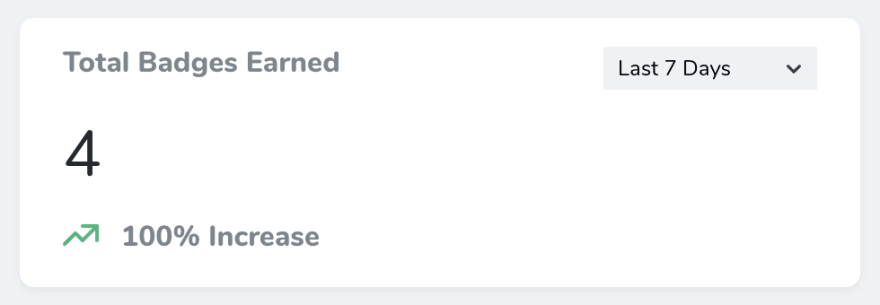
This approach, in combination with the built in ranges() method, successfully counts the number of records in the pivot table that were created within the time range selected on the front end.

 At some point as
  In addition, it can be difficult to find out where you fit into the team if you were hired by someone higher up in the company. Depending on the team’s size, you may get passed around between different projects with no real direction unless there is someone you can specifically report to.
 Perhaps more notably, tickets that have been sitting in the queue for a long time—especially ones with lots of back-and-forth discussion—may be areas of the project that are complex or particularly contentious.
 When I began working as a developer, I was deeply focused on the little things: how an algorithm works, the exact syntax for the language I was writing in, why an answer on Stack Overflow broke my code, and all the other roadblocks along the way.
 These new responsibilities would have been fine if I was able to recognize them as my new focus and shift from creator mode to coordinator mode. But I wasn’t. I still convinced myself that I could fit in a full day’s worth of writing code in between meetings, phone calls, and desk visits from other developers.
 As the lead developer, it’s now your job to make high-level technical decisions and arbitrate technical disputes between your team. However, this doesn’t mean you should make unilateral decisions without consulting your team.
 Lead developer is a role that some developers try to achieve throughout their entire careers. If managing technical people is something you enjoy and you’re lucky enough to move up into this role, you can find more satisfaction in your work and your career.
 To me, that’s super powerful. Everyone encounters fear at some point in their career and how you deal with can set you apart or it can hold you back.